Mark Reservations as No-Show (Guaranteed) Manually
When users mark a reservation as cancelled or no-show manually using the Mark as no-show/cancel hyperlink in the Date Roll tab of the Night Audit screen, the following new options are displayed in the No-Show Reservation pop-up screen:
-
Immediate
-
Guaranteed
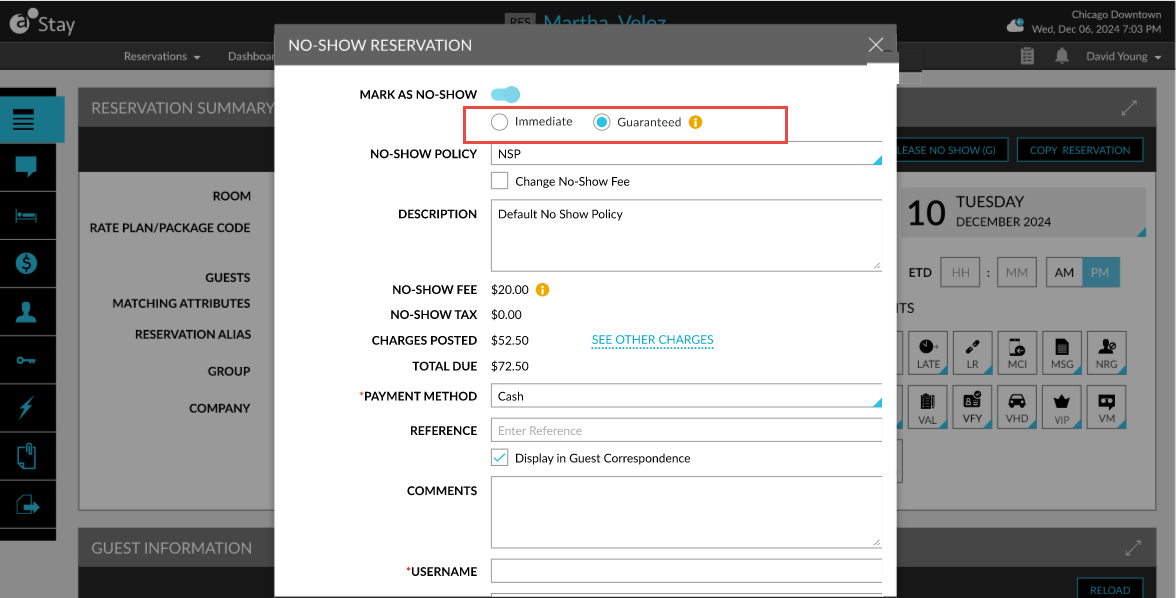
When the Immediate option is selected, the following changes occur:
-
The status of the reservation is updated as No-Show
-
The no-show fee is posted to the folio immediately
-
The inventory is released immediately
-
The status is sent to interfaces during date roll
When the Guaranteed option is selected, the following changes occur:
-
The status of the reservation is updated as No-Show (Guaranteed)
-
The no-show fee is posted to the folio immediately
-
The inventory is held until the hold time is reached
-
The status is not sent to interfaces during date roll
-
The status in the interface remains as RES until the hold time expires
-
The status is sent to interfaces after the hold time expires